
With a built-in review step, nothing reaches your users until someone’s approved it
Confidently make your changes , save as a draft, and send it for review based on your permissions.Workflow and Roles
How the process works, and who’s responsible at each step.Save as a draft
When you edit and save a live Demo — it now creates a draft version of that Demo.
Review Changes
Before anything goes live, there’s a review step.
Publish demo
Once ready, selecting ‘Publish’ updates your Demo and sends your changes live.
New Sections on the Dashboard
Two sections on the Dashboard keep track of drafts and work in progress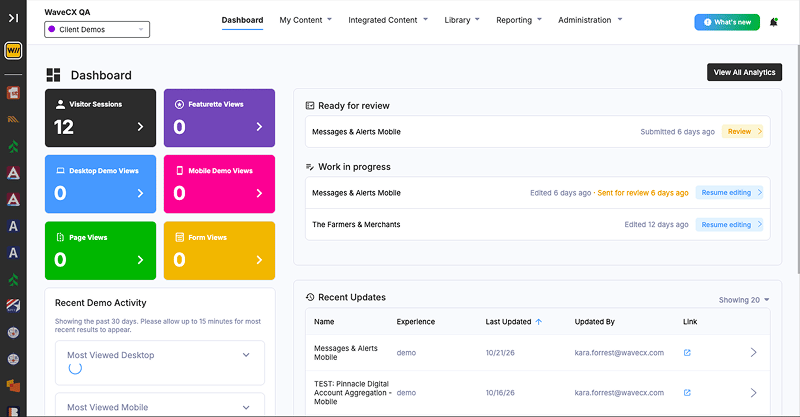
Admins will see drafts submitted by your team waiting for review. Work in progress
Resume editing any draft you have worked in. Recent Updates
See what changed, who changed it, and when.
Working with Drafts
Editing a Demo works the same as always — but Save no longer goes live. The first time you save a live Demo, WaveCX creates a draft. Every save after that updates the same draft — nothing is published until someone reviews, approves, and publishes it.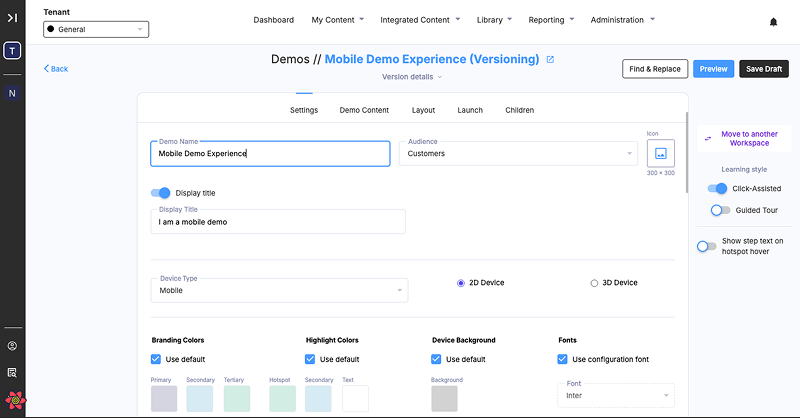
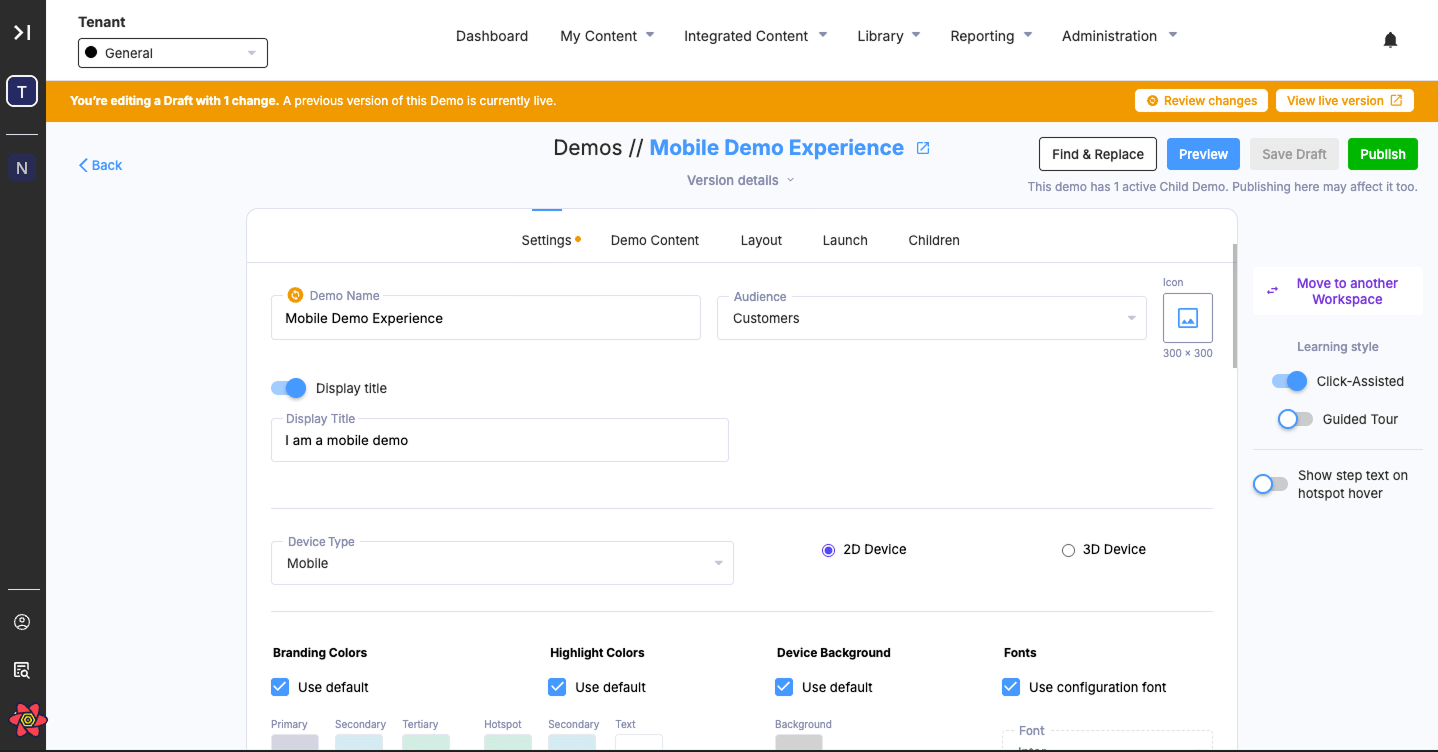
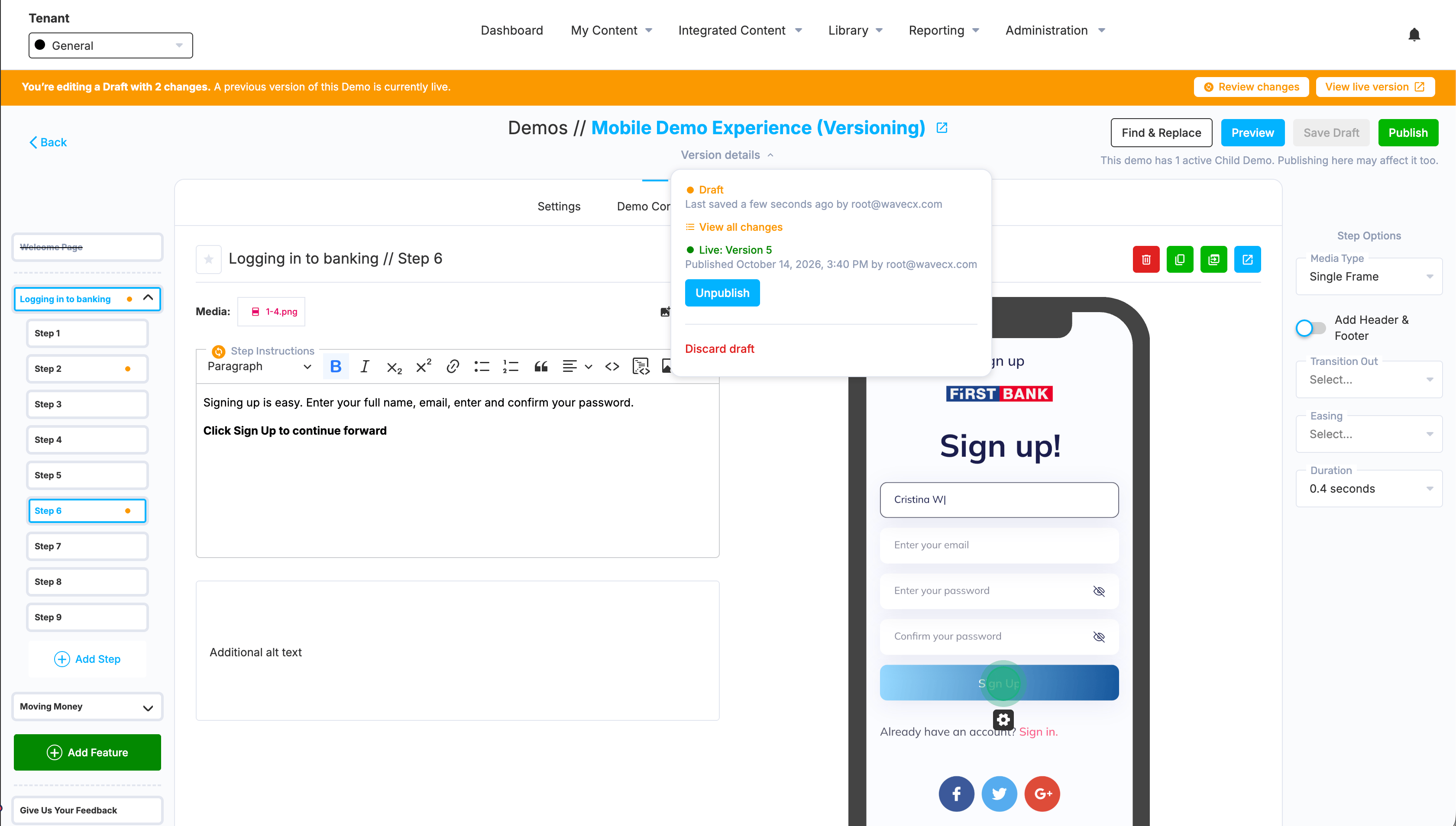
Changed your mind? Discard Draft removes your changes and reverts the demo back to its last published version.
Requesting Reviews
Once you’re ready for someone to look at your changes, select Request Review from your draft. This sends it to your organization’s Admins and surfaces it in their review queue.Reviewing Changes (Admin Only)
Before approving a draft, reviewers can see exactly what changed — field by field. Select Review changes to open a popover that steps through each change one at a time, with Next and Previous to move between them. For the complete picture, View all changes opens a drawer listing every change together.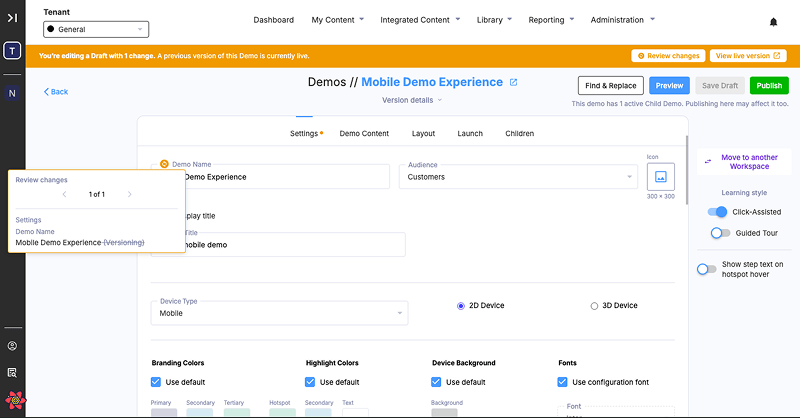
Publishing (Admin Only)
Publishing is an Admin-only action. Once a draft’s changes have been reviewed and approved, selecting Publish sends them live.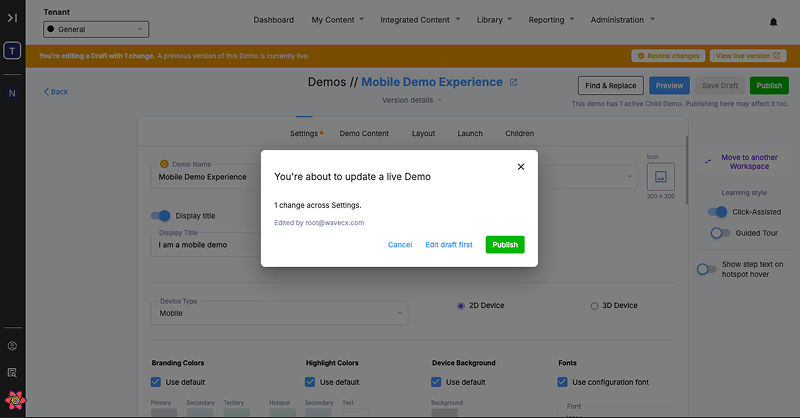
Unpublish & Republish (Admin Only)
Stay tuned for future updates including:
- Drafts for the other content types, including Pages and Featurettes
- True versioning management
- An approvals flow